
WhatsApp Business API guide
Get the WhatsApp Business API right the first time
App or API, what Meta charges for and what stays free: what you need to choose the right WhatsApp access without surprises.
Some of the businesses that trust us







In short
This AI Fusion Partner guide explains the WhatsApp Business API, the access to WhatsApp that Meta provides for businesses replying from software rather than a phone. It has no screen of its own: you need a CRM or shared inbox to read and reply. You get it from Meta or through a provider, and Meta charges for delivered template messages.
Updated on
What you stop chasing
- People mix up the free WhatsApp Business app and the API, which needs software to be used at all.
- Meta's prices change and depend on the type of message: hard to know what will be charged.
- An API on its own answers nobody: without a tool or an agent, nothing changes for the team.
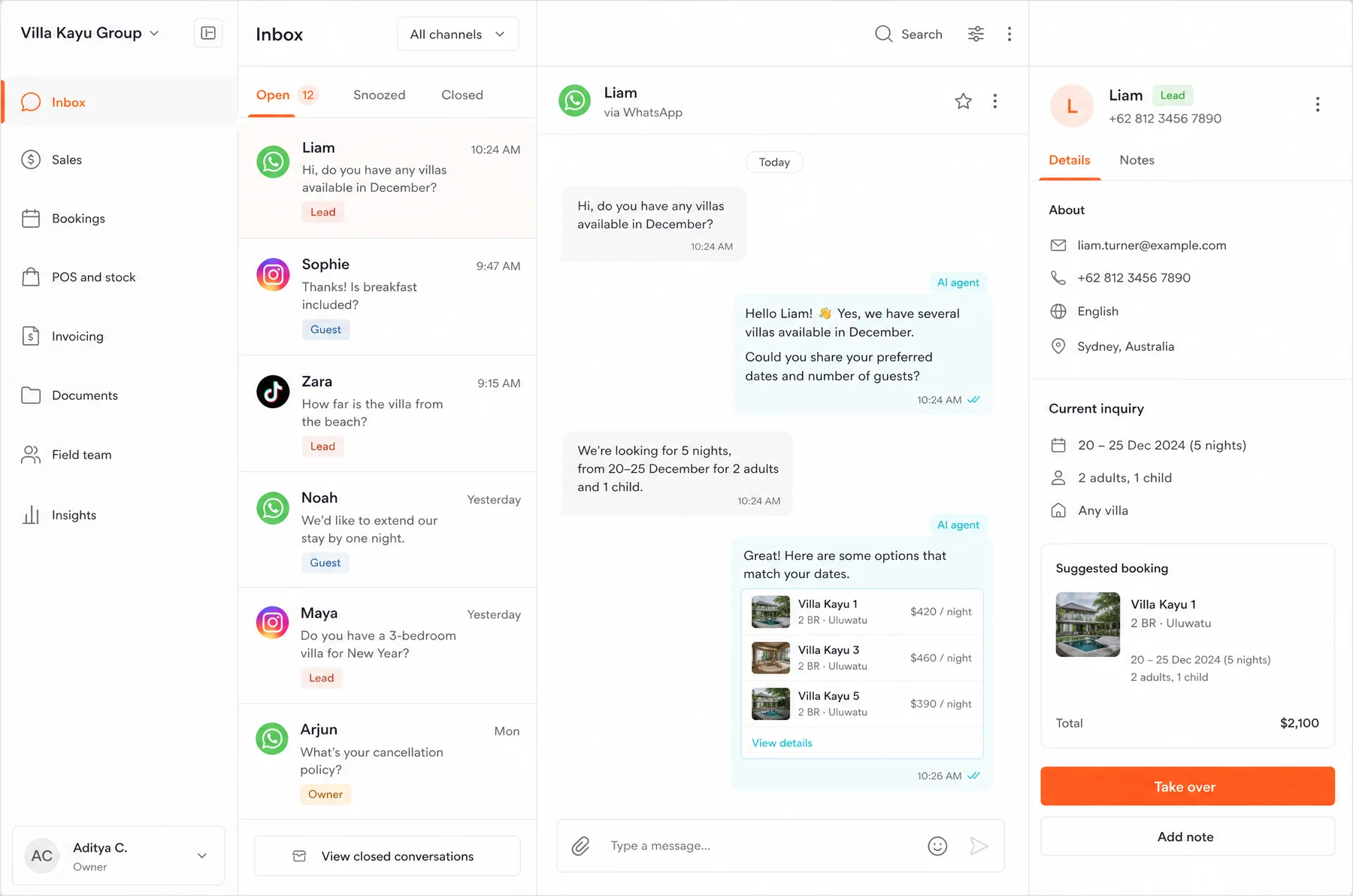
Watch the agent answer your customer
Can my current WhatsApp Business number move to the official API without risking a ban?
Meanwhile, in your software
Sound like your business?
Describe it to the agent. It tells you what we would build and books the call if there is a real case.
What your software does for you
What it is
Software access to WhatsApp, provided by Meta for businesses: several people and tools can reply on the same number.
How it differs from the app
The app runs on one phone for a small team. The API plugs into a CRM, an agent or software.
How to get it
From Meta or a platform provider, with a Meta business account, a dedicated number and an approved display name.
How Meta charges
Per template message delivered, by category (marketing, utility, authentication) and the recipient's country. Amounts are on Meta's pricing page.
What isn't charged
Per Meta, replies within the service window the customer opens are free, utility templates included. Check Meta's page.
What an agent adds
It replies at any hour, books and sends payment links, with sending caps and handover to your team.
The agents working for you
From the call to your first module live
- 1
Look at your messages
Who writes, at what time, asking what, and what your team repeats all day long.
- 2
Choose your WhatsApp access
App, API through Meta or a provider: it depends on how many people reply and what needs connecting.
- 3
Connect a tool
A CRM or shared inbox to read and reply, connected to your bookings, sales or invoicing.
- 4
Add an agent
Once the rules are clear, an agent takes the repetitive questions and hands back to the team whenever needed.
Rather talk it through with a person?
Pick a 30-minute video call with the team. You leave knowing what is worth building.
Your questions, answered
What is the WhatsApp Business API?
It is the access to WhatsApp that Meta provides for businesses working through software. The business number is connected to a tool (CRM, shared inbox, AI agent) instead of a phone, and several people or programs can reply on it.
What is the difference between WhatsApp Business and the API?
The WhatsApp Business app is free and runs on a phone for a small team. The API has no app: it plugs into software, allows automation, and Meta charges for some messages the business sends.
How do I get the WhatsApp Business API?
From Meta directly, or through a WhatsApp Business Platform provider that handles sign-up and the tool. Either way you need a Meta business account, a dedicated phone number and a display name approved by Meta.
How much does the WhatsApp Business API cost?
Meta charges for each template message delivered, by category (marketing, utility or authentication) and the recipient's country. Replying to a customer within the service window opened by their message is not charged, according to Meta's pricing page as read on 6 October 2026. Amounts and rules change: check them on that official page. A provider may add its own subscription.
Do I need the API to run an AI agent on WhatsApp?
It depends on volume, how many people reply and what the agent has to do. We look at your case on the 30-minute call, free and with no commitment.
Find out whether the API is worth it for your business.
In 30 minutes, we look at your messages and tell you whether you need the app, the API, a tool or an agent.