
Training providers and training centres
Training provider software that keeps every session audit-ready
Each session files its joining instructions, attendance and evaluations as it runs, and learners and corporate clients are chased without you.
Some of the businesses that trust us







In short
AI Fusion Partner builds custom training provider software: enrolments and agreements, automatic joining instructions, attendance and evaluations attached to each session, funding paperwork tracked document by document. It does not accredit you: it files the evidence as each session runs, so an audit is no longer a hunt for paperwork.
Updated on
What you stop chasing
- Every session leaves a trail of attendance sheets, evaluations and certificates to gather for the next audit.
- Corporate clients and funding bodies each want their own documents and deadlines, all chased by hand.
- Prospective learners ask the same questions before enrolling: dates, venue, prerequisites, funding.
Watch the agent answer your customer
Hi, any seats left on the November project management course? My company would pay for it.
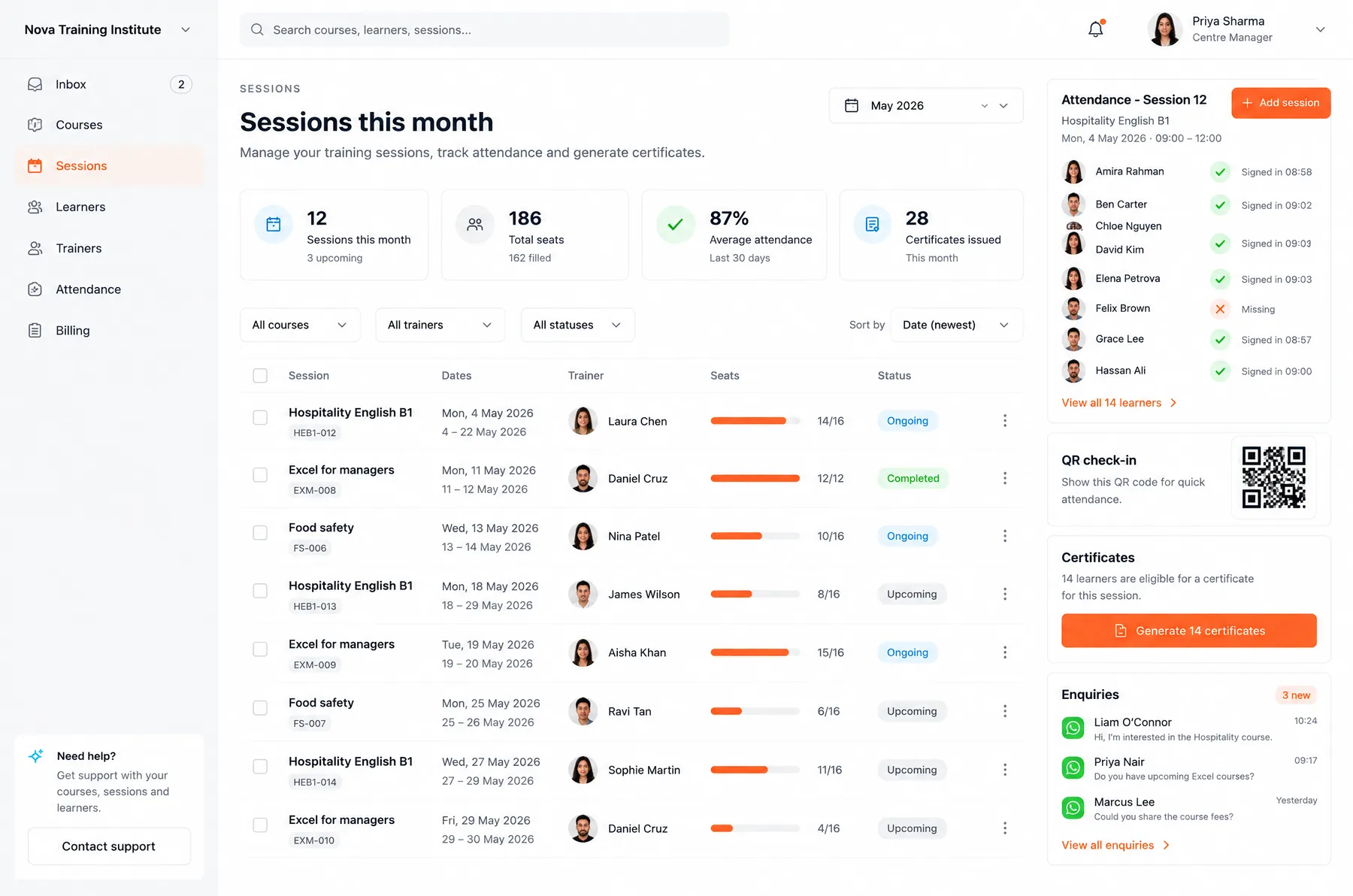
Meanwhile, in your software
Sound like your business?
Describe it to the agent. It tells you what we would build and books the call if there is a real case.
What your software does for you
Enquiries answered
The agent replies on WhatsApp, day and night, from your catalogue (dates, venue, prerequisites, seats left), then pre-registers the learner.
Sessions, seats and enrolments
Each session has its seats, waitlist and enrolled learners. A freed seat goes to the next person.
Agreements and joining instructions
The agreement is drafted from the enrolment, and joining instructions go out automatically before the session, with venue and times.
Attendance and evaluations attached
Sign-in on a tablet or by link, before and after questionnaires: all attached to the session and the learner.
Funding and invoices tracked
Employer-funded, grant-funded or self-funded: each enrolment has its documents and dates. Missing items are chased, and so are unpaid invoices.
Audit evidence filed as you go
Course outlines, joining instructions, attendance and evaluations are filed by session. On audit day, you find them, not rebuild them.
The agents working for you
From the call to your first module live
- 1
A 30-minute call
Show us how an enquiry becomes a learner, and where your agreements, attendance and funding paperwork live today.
- 2
A diagnostic
We find where the time goes: repeat questions, documents chased by hand, evidence rebuilt before an audit.
- 3
A first module in production
Often the enquiry agent and session enrolment, connected to the tools you already use.
- 4
Then month by month
With no minimum term, we add attendance, funding and evidence filing, and we stay responsible for what runs.
Rather talk it through with a person?
Pick a 30-minute video call with the team. You leave knowing what is worth building.
Your questions, answered
Will this software get us accredited?
No software can do that for you. It helps you produce and file the evidence for every session, organised around the criteria your accrediting body checks. The judgement stays with your auditor.
Is it connected to government or funding body portals?
We have no ready-made connection to those portals. The software tracks the documents, dates and reminders for each funded enrolment, and we look at what can be connected during the diagnostic.
We already use an off-the-shelf training center management software. Why custom?
If it covers what you need, keep it. Custom makes sense when your way of working doesn't fit the tool, or when you want the WhatsApp agent and reminders running on your own data. We can start alongside your current tool.
Our trainers are often freelancers. What do they see?
Each trainer has their own access, limited to their sessions: learner list, attendance and evaluations. They don't see other sessions or invoicing.
Our learners speak different languages. Does the agent cope?
Yes. The agent replies in the learner's language, and your team can read every message translated inside the inbox.
Related businesses
- Recruitment agencyEvery candidate gets a reply and the role's questions, and the interview lands booked in your recruiter's calendar.
- Pilates studioClients book and pay on their own, even at 11 pm, and nobody counts credits by hand anymore.
- Visa and immigration agencyRepeat questions get answered, documents land in the right file, and every expiry date triggers a reminder before it falls due.
Evidence filed on session day is already there on audit day.
Describe your training business to our agent. If there is a real fit, it books your call with the team.